SmartChamber-3D
Home
Donate
Get a Free Activation Code
  • English
  • 简体中文
Home
Donate
Get a Free Activation Code
  • English
  • 简体中文
  • Introduction
  • Quick Start
  • Hardware

    • Source Files
    • PCB Fabrication
    • Bill of Materials (BOM)
    • Soldering Assistant

      • Main Control Board
      • Heater Board
    • Assembly Instructions
    • Hardware Design Concepts and Principles
    • Hardware wiring diagram
  • Software

    • Function Description
    • Control Logic and Functional Details
    • Firmware Download
    • Firmware Flashing
    • Firmware activation
  • 3D printed parts

    • Introduction
    • Bill of Materials (BOM)
    • Main Frame Installation
    • Heating Module Installation
    • Modules

      • Module – Source Files
      • Module – Main Controller
      • Module – Exhaust Fan
      • Module – Power Input
      • Module – Drawer
      • Module – Pegboard
      • Module – Blank
      • Module - LOGO
  • FAQ
  • License & Attribution
  • DONATE

Module – Exhaust Fan

Installs the exhaust fan and HEPA filter.

If the exhaust air is vented outdoors, the HEPA filter is not required.

If venting indoors, installing a HEPA filter is strongly recommended to remove harmful gases.

In the model file, the default exhaust pipe size is 50mm. If you need a different size, please find the model file for that size to print.
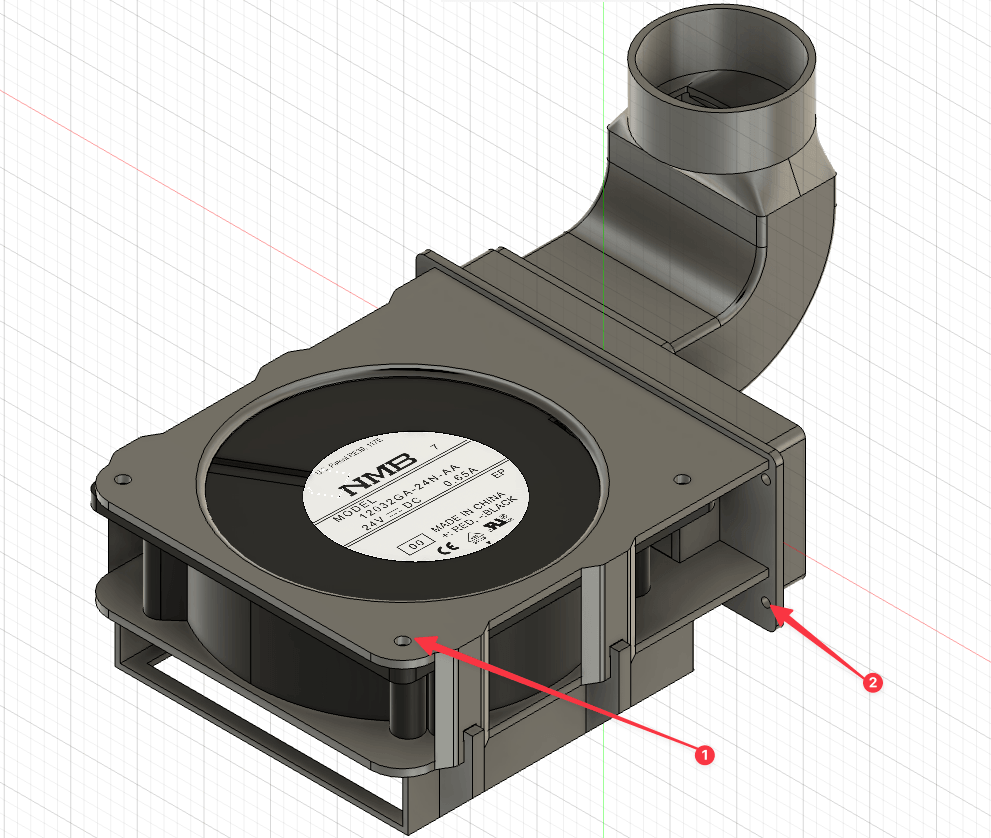
  1. Phillips screw M3 × 16 + M3 nut
  2. Phillips flat head screw M3 × 6

Installation Tips

  • Ensure the HEPA filter fits tightly to avoid air leakage.

P1S Built-in Exhaust Fan Compatibility

The P1S printer has a built-in exhaust fan. Using both the P1S's built-in exhaust and the SmartChamber exhaust fan may cause airflow conflicts.

Solutions:

  • Disable the P1S built-in exhaust fan and use only the SmartChamber exhaust fan
  • Do not install the SmartChamber exhaust fan and use the P1S's built-in exhaust fan instead
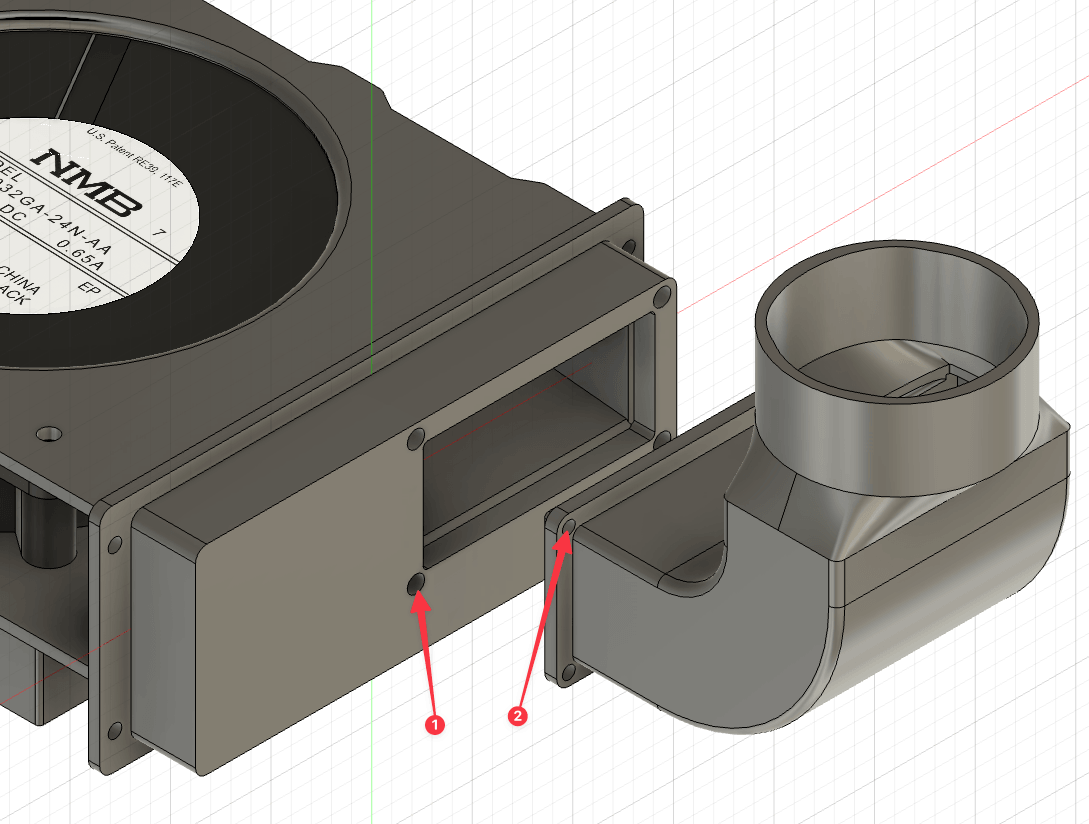
  1. Heat-set insert M3 × 5 × 4.2
  2. Phillips flat head screw M3 × 6
Last Updated: 4/9/26, 2:39 PM
Contributors: physton
Prev
Module – Main Controller
Next
Module – Power Input
Developed by Phyton.com
CC BY-NC-SA 4.0 — Free to use, modify, and share for non-commercial purposes with attribution and same license.